
Restricting access to item attributes#
sysman sysadmin
Through the workspace role, you hide attributes from users or make them read-only.
By default, all attributes are visible and editable — except those whose change does not make sense.
Go to
Administration>Users & groups>Workspace roles.Click a role and then
Field restrictionsin the toolbar. Select the attributes you want to hide or make read-only.
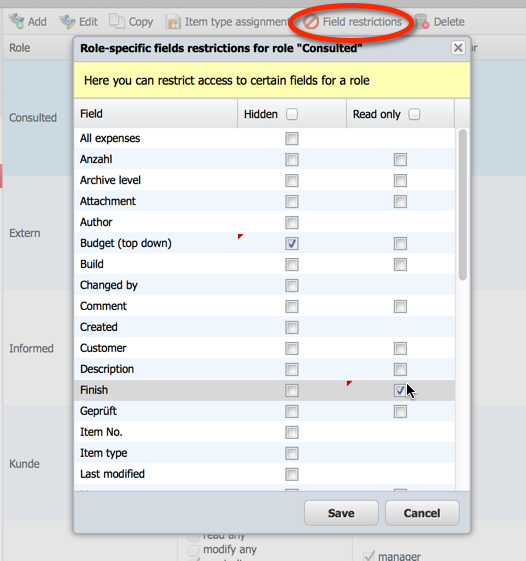
Hiding item attributes or making them read-only#
Click
Save.
You have restricted access to some item attributes for the users to whom this role is assigned in a workspace.