
License data#
sysman sysadmin
Allegra controls licensing via a license key. The license key is bound to the IP address of your server.
To access the licensing page, go
to Administration > License key as a system administrator.
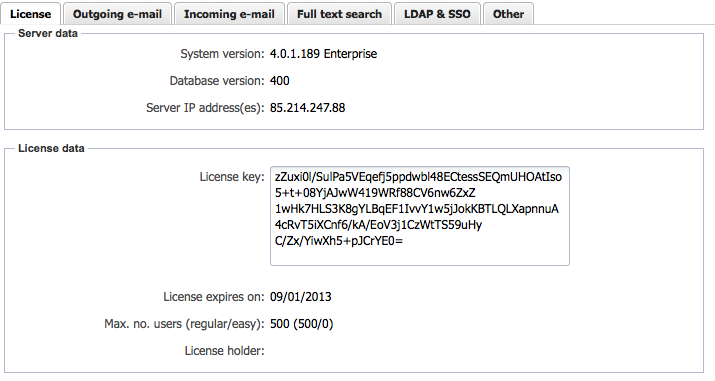
On the first tab you can copy the license key into the corresponding field and save it. The number of users and the expiration date of the license key are shown in the area below the text field.
The licensing system supports a range of features. The number of licenses for each feature is shown in the lower part of this tab. The “Guest” user should not be deleted; it does not count toward your licenses. You can rename the “admin” user to yourself or another user; it is a regularly usable account.
If you configure more guest users than you have in your license, the guest users are deducted from the number of regular user licenses.
Note
Important: When you request a license key, make sure you specify one of the IP numbers shown on this tab. Do not use the localhost IP number 127.0.0. or 0: 0: 0: 0: 0: 0: 0. Make sure that when requesting the license key you specify the software version shown on the tab.