
Cockpit templates#
sysman sysadmin
As a system manager, you can offer regular users cockpit templates so that they have less configuration work to do.
Attention
A cockpit template is purely a copy template. Changes to it do not affect users in any way. Once it has been used, there is no longer any connection between the cockpit template and the cockpit.
Managing cockpit templates#
To create, edit or delete cockpit templates, proceed as follows:
Go to
Administration>Templates>Cockpit templates.
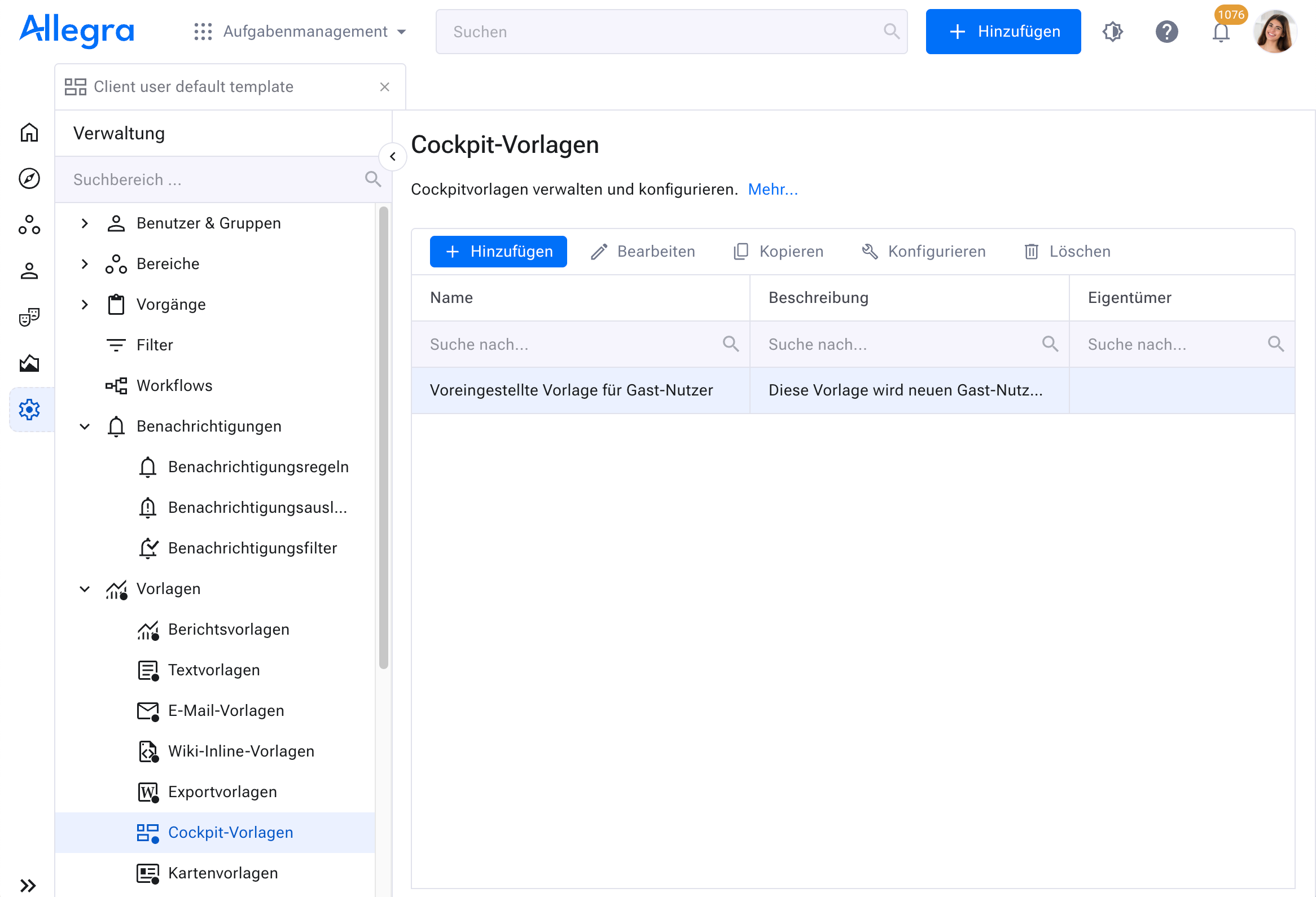
For a new template, select an existing template and click
Copy, or click theAddbutton.To change a template, select it and click
Configure.Now configure the cockpit template you want as described in the guide on cockpit configuration (see Working with the cockpit).
Optionally, mark the template as the default cockpit for regular users and guest users.
Give the new template a name. Others can now fetch the template from their user profile. Project administrators can set the template as the default template for their project.
Marking a cockpit template as default#
When a new user or guest user is created, they receive the template designated as the default for that user type and marked accordingly in the cockpit template management.
Assigning a cockpit template to users#
As a system manager, you want to assign a cockpit template to other users with their consent. You have previously declared and configured a cockpit template.
Attention
If you do not choose the “add to existing” option, you will overwrite the entire existing cockpit!
Go to
Administration>Users & groups>Users.
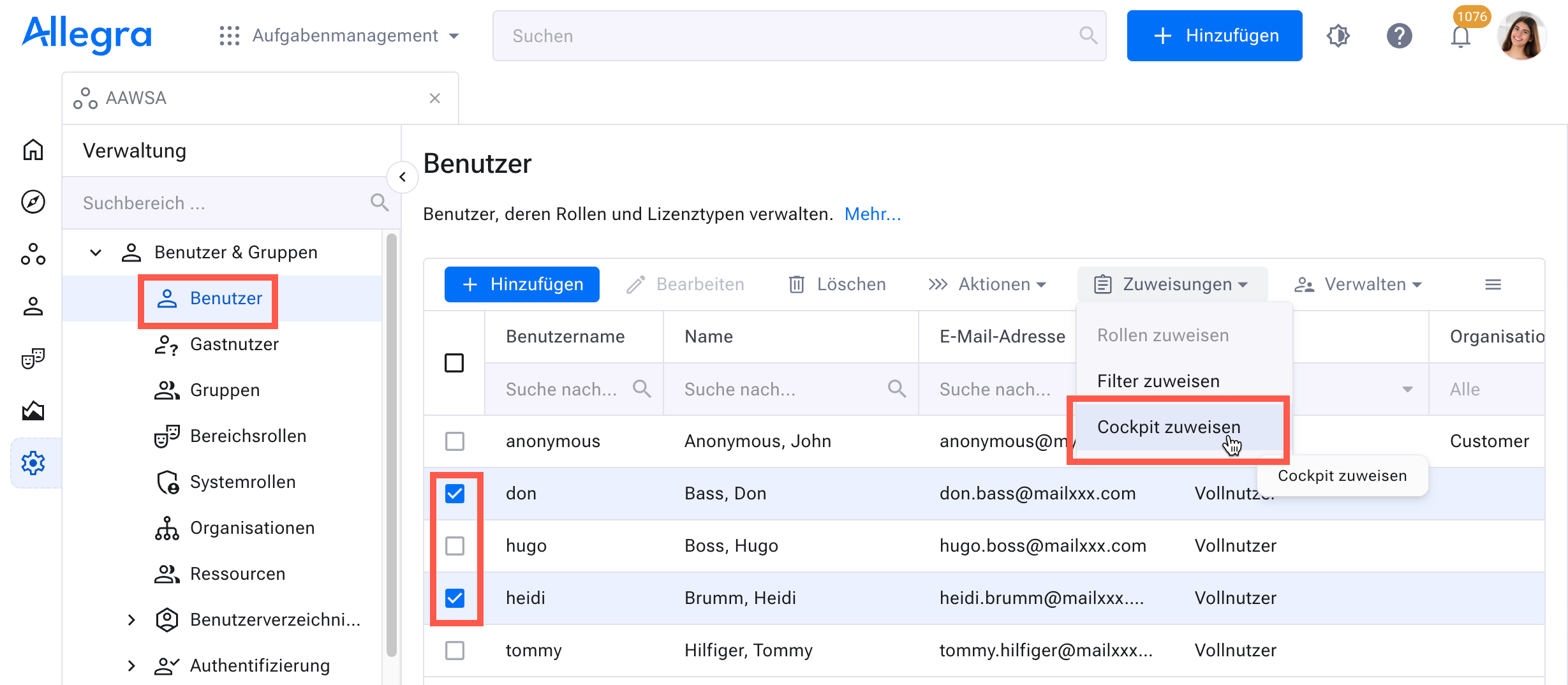
Select the users in the user list to whom you want to assign the new cockpit template. You can use filters to limit the number of users you see. The filters are accessible in the column headings.
Click
Assignments>Assign cockpitin the action menu.
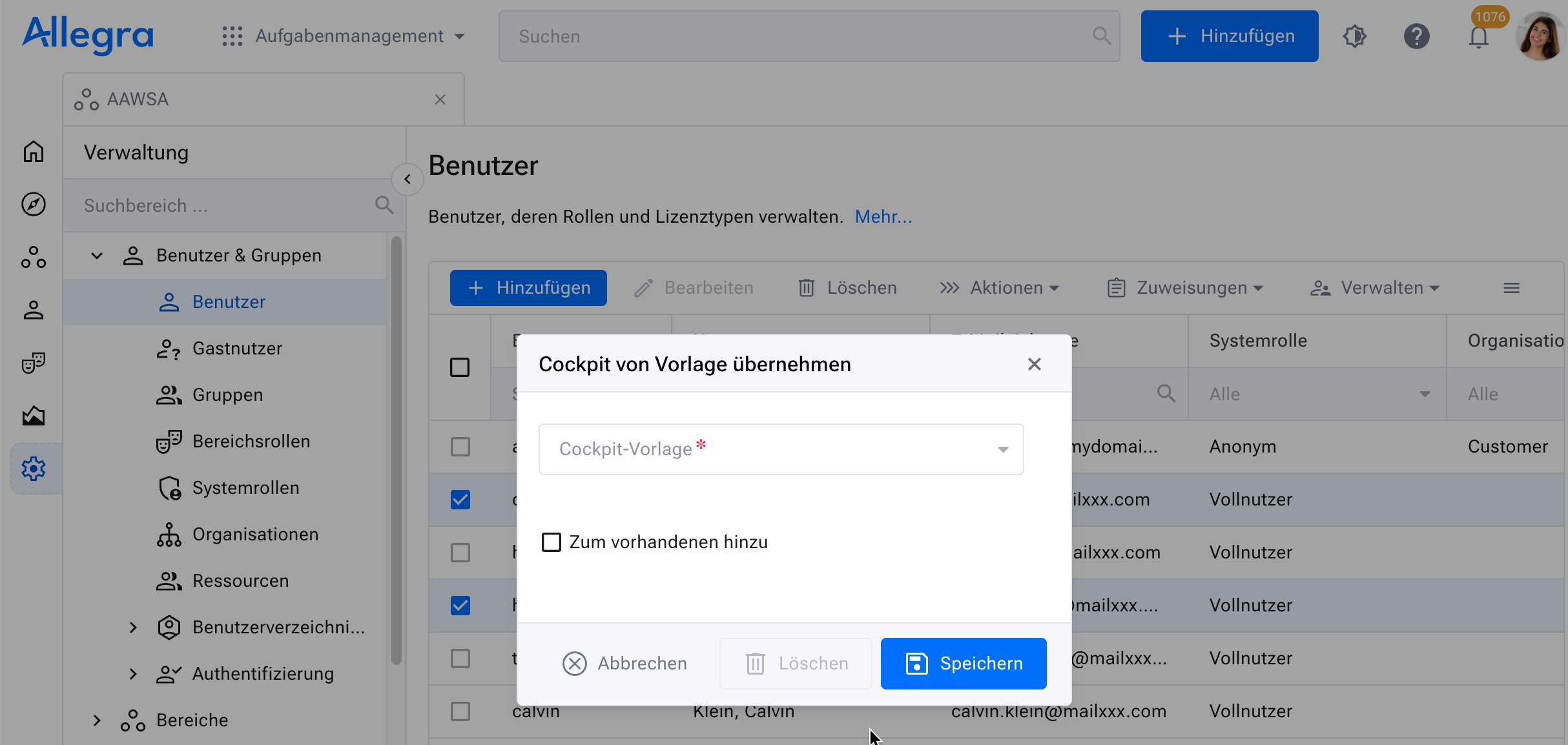
Select the cockpit template you want to assign, and click
Save.
Warning
This overwrites the users’ cockpit definition and could make them angry if they had defined their own!
The selected users now have the new cockpit.
Assigning a cockpit template to a workspace#
See Workspace-specific cockpits for assigning cockpit templates to users.