
Calendar#
The calendar widget shows you the start and end dates of a filtered set of items, if these dates exist.
Configuration#
The calendar widget must be configured in order to display anything meaningful.
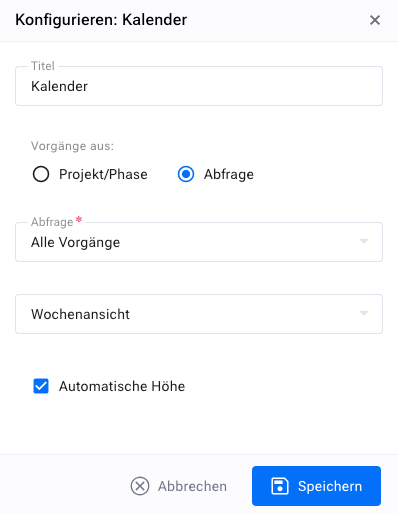
You can change the description of the widget to give the calendar a more precise meaning. This is particularly helpful if, for example, you want to create a separate calendar for each project.
You can select which projects and releases you want to consider, or you use a previously defined filter.
Week view#
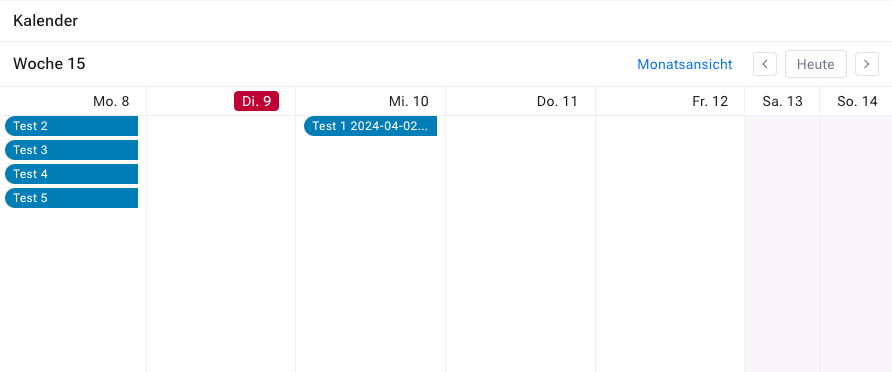
The week view comprises a header and the fields for the various days of the week. The header shows the current calendar week. There are two arrow buttons on the left and right that let you move one week backward or forward. The current day is highlighted.
The header contains two more buttons. With the “today” button you move to the current week and the current day.
With the “month view” button you switch to the month view of the current month.
Month view#
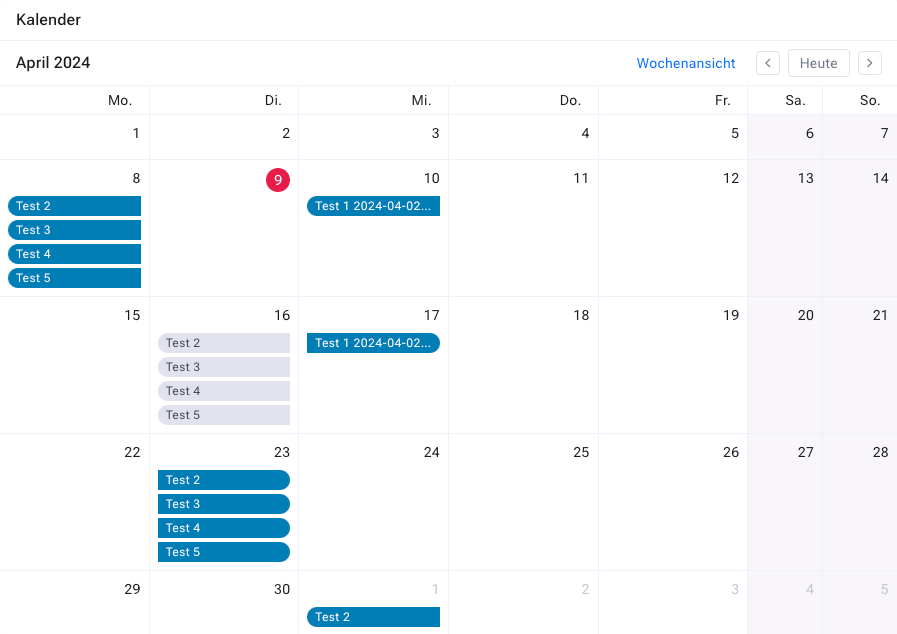
The header of the month view consists of two rows. The first row contains the name of the month, two arrow buttons that let you move one month forward or backward, and two years, the previous and the following year.
The second row contains the day of the week. Each calendar field contains the day and month in abbreviated form.
Active links#
If there is an item that has passed through the calendar’s filter, and this item has a start or end date that falls within the period shown in the calendar, the item is displayed there as a link.
The link takes you to the detail view of the corresponding item. When you hover the mouse over the link, additional information appears in a tooltip.