
Copying a set of items#
You copy several items at once. This is useful for:
checklists that are worked through repeatedly
simple workflows that are run through repeatedly
test plans that turn into test protocols
It is best to keep the templates — checklist or workflow steps — in a separate “Templates” workspace. From there, you copy them into the current workspace. Alternatively, use a dedicated item type for the templates, which you change during copying.
Make sure the selection column is active. It is usually located at the far left of the item overview.
In the first column, mark the items to be copied. Expand the entire tree so you can also select child items. Selecting a parent item does not automatically select its children.
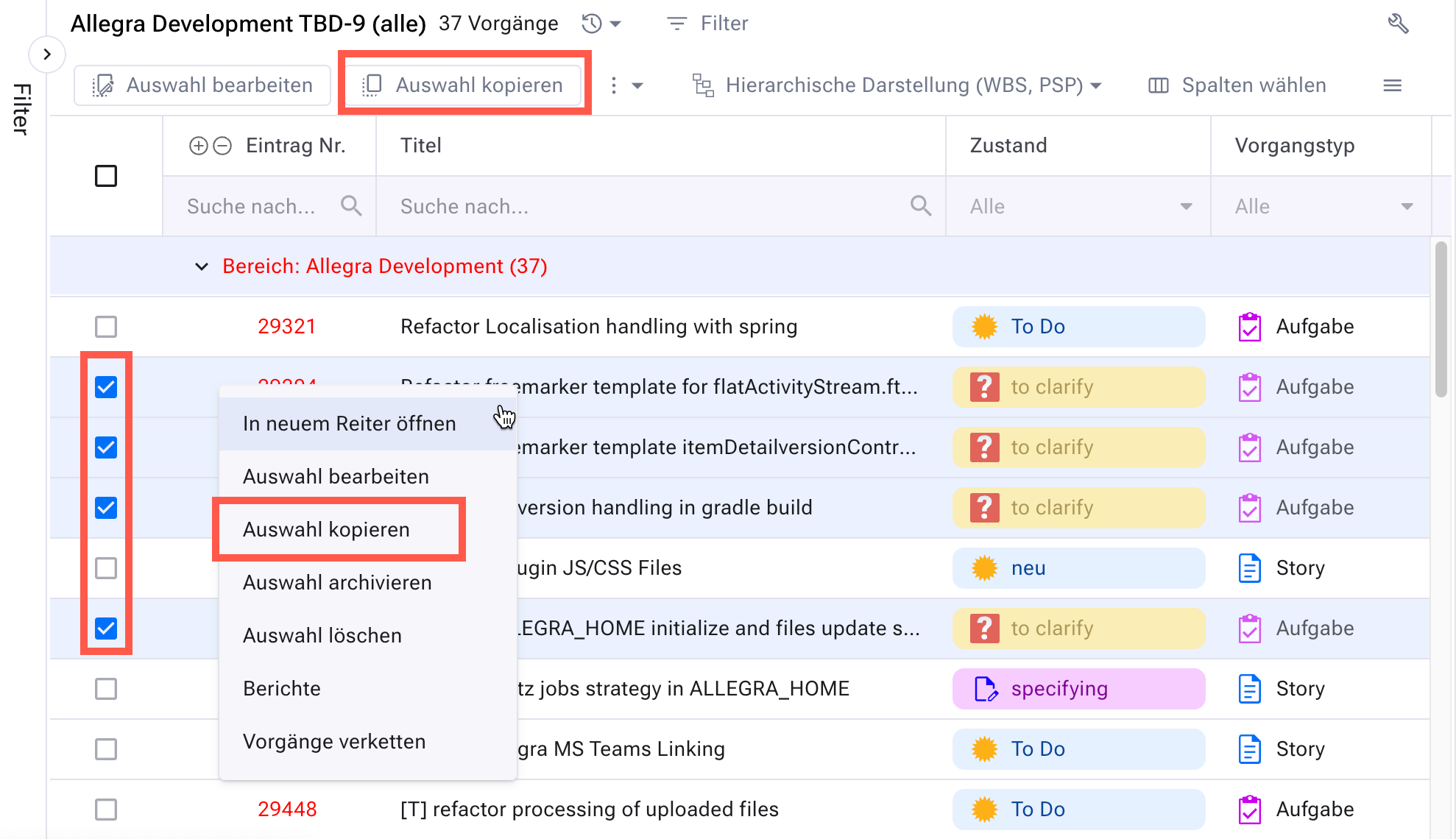
In the toolbar, click
Copy selection— or choose the entry from the context menu.In the form, select what gets copied along:
change history
attachments
watchers
child items
planned values
efforts
resources
links
When copying links, you additionally decide:
whether links between the original items are transferred as well
whether links between copied and non-copied items are transferred
whether the copies are linked to the originals
Mark the item attributes that you want to change during copying. As soon as you select an attribute on the left, Allegra activates the matching input field.
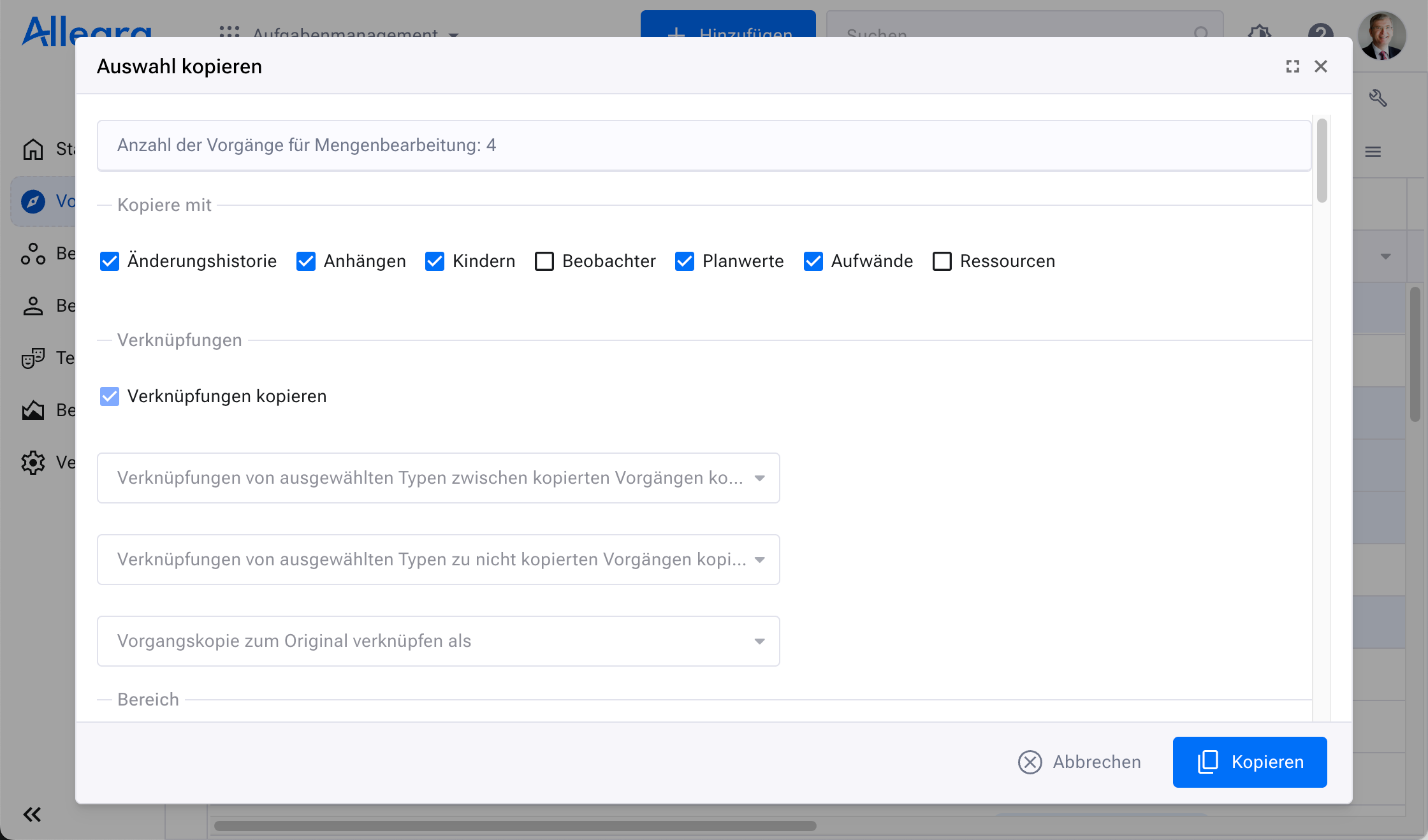
Click
Copy.