Reminders#
Allegra reminds you of due or overdue items by e-mail, in the browser or via Slack. There are two kinds:
General reminders apply to all items in the same way and are configured in your profile.
Individual reminders allow item-related due dates via
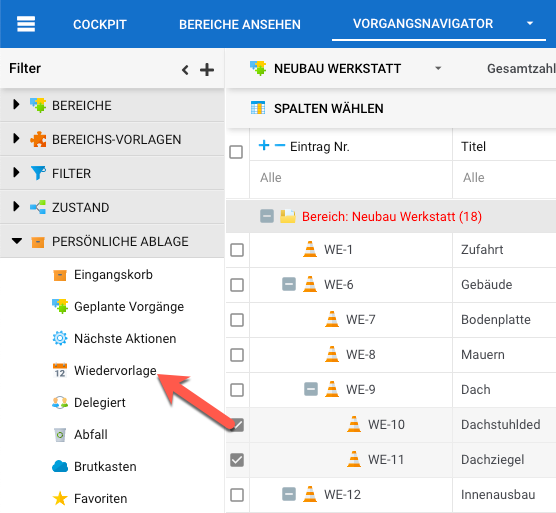
Personal storage>Reminder.
General reminders#
General reminders relate to the due date (End) and cover all open items
for which you have a RACI role. You can restrict which roles, priorities and
severities are taken into account, as well as set a lead time and the days of
the week.
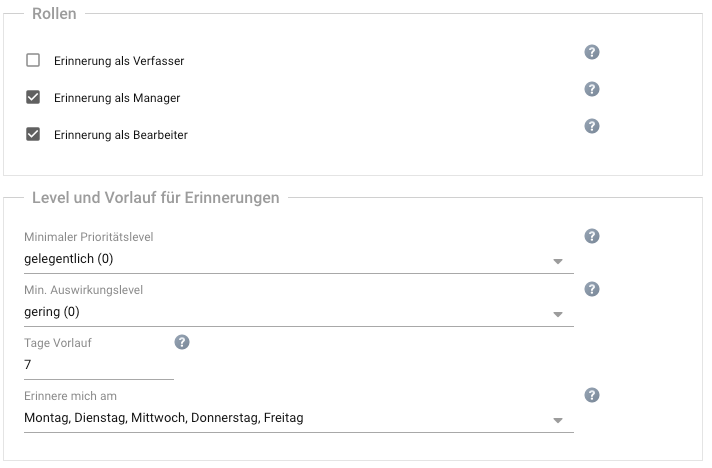
Example: An item is due on Tuesday, 24 April; reminders are sent only on Mondays. With a lead time of ten days, you receive the reminder on Monday, 16 April — in the worst case, therefore, only three days before the due date.
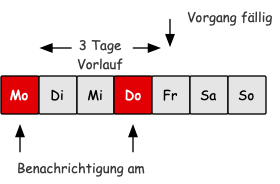
The following figure shows an item due on Friday with reminders on Mondays and Thursdays: with a lead time of three days, the reminder is not sent until Thursday.
Individual reminders#
Drag the item in the item overview onto Personal storage > Reminder,
enter the date and save.
To remove the reminder, drag the item onto Personal storage > Trash.