
Scripts#
sysman sysadmin
You can tailor Allegra to your needs with the help of Groovy scripts. For example, you can automatically assign the responsible or run plausibility checks when you save an item.
To add or edit scripts, go to Administration > Miscellaneous > Scripting as a
system administrator.
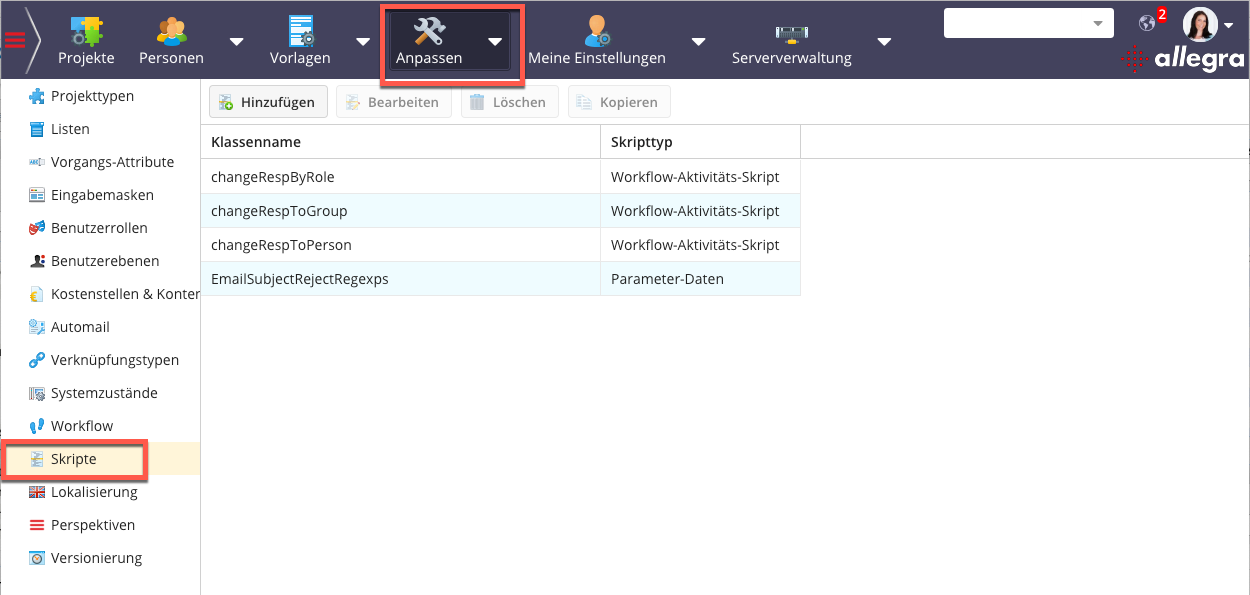
There are five kinds of scripts:
Workflow activity scripts
Workflow guard scripts
Field change scripts
General scripts
Parameter scripts
The following table shows the input bindings.
Key name |
Key symbol |
Description |
|---|---|---|
user |
com.aurel.track.admin.customize. scripting.BINDING_PARAMS.BINDING_USER |
the current user as TPersonBean |
userID |
…BINDING_PARAMS.USER_ID |
the current users user ID |
issue |
…BINDING_PARAMS.ISSUE |
the current issue after a change |
originalIssue |
…BINDING_PARAMS.ISSUE_ORIGINAL |
the current issue before a change |
workItemContext |
…BINDING_PARAMS.WORKITEM_CONTEXT |
the workItem context (contains also the previous two beans but they will be also directly available in the map) |
project |
…BINDING_PARAMS.EMAIL_PROJECT |
the current workspace |
errorList |
…BINDING_PARAMS.ERRORLIST |
the error list which should be returned in case the activity can’t be executed. The errors will be shown as validation errors |
emailAttachments |
…BINDING_PARAMS.EMAIL_ATTACHMENTS |
attachments from e-mail submission |
fromAddress |
…BINDING_PARAMS.EMAIL_FROM_ADDRESS |
from address from e-mail submission |
subject |
…BINDING_PARAMS.EMAIL_SUBJECT |
subject from e-mail submission |
body |
…BINDING_PARAMS.EMAIL_BODY |
e-mail body from e-mail submission |
siteBean |
…BINDING_PARAMS.SITEBEAN |
TSiteBean for this Allegra instance |
filter |
…BINDING_PARAMS.FILTER |
LDAP search filter expression |
ldapmap |
…BINDING_PARAMS.LDAPMAP |
LDAP map from quartz-jobs.xml |
The following table shows the output bindings.
Key name |
Key symbol |
Description |
|---|---|---|
guardPassed |
…BINDING_PARAMS.GUARD_PASSED |
the current users user ID |
-
You can assign a workflow activity script to state transitions in workflows.
-
You can assign a workflow condition script to state transitions in workflows. On the one hand, this restricts the list of possible target states when an item is loaded. On the other hand, when the item is saved, it checks whether a state transition is allowed.
-
General scripts are usually bound to a particular class name. When the system detects the presence of such a class, it is called depending on its purpose.
-
With parameter scripts you can define data structures that can be used by other scripts or the system. This lets you separate configuration from logic and makes parameterization accessible to non-programmers as well.