
Restricting access to item types#
sysman sysadmin
You restrict access to specific item types per workspace role. By default, every role has access to all item types. This lets you, for example, give customers access to just one specific item type, while giving your staff access to all of them.
Go to
Administration>Users & Groups>Workspace Roles.Click a role and then click
Item Type Assignmentin the toolbar. Drag item types between the columns to make them available or to restrict them. An empty right-hand column means: all item types are available.
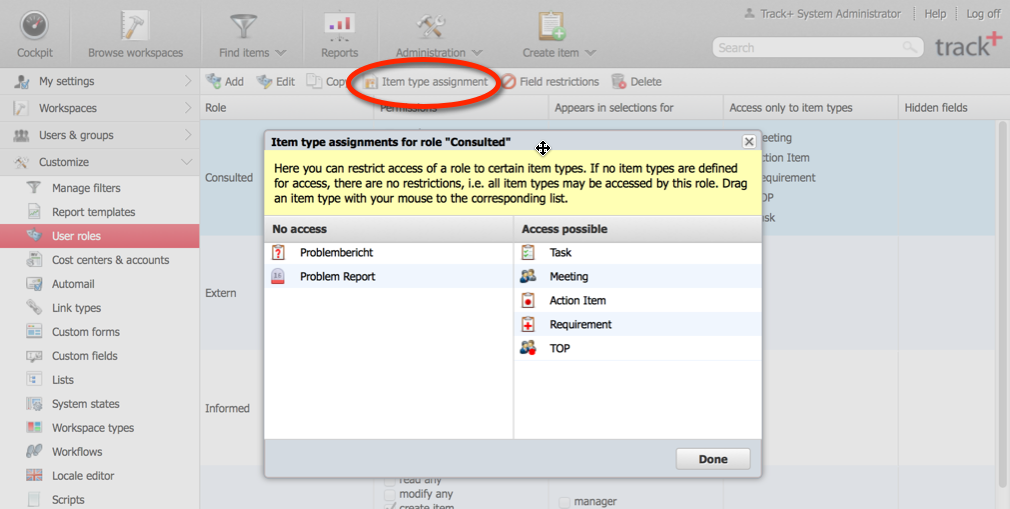
Click
Doneat the bottom right of the configuration window.
You have now restricted access to certain item types for the users to whom this role is assigned in a workspace.