
Manager list#
This widget gives you a quick overview of the number of open and closed items, grouped by priority and grouped by responsible, for each project.
Display#
For each project, grouped by priority and responsible, the panel shows the number of open items for each priority and each responsible. The number of items in each category is given as an absolute figure as a percentage of the total number of items for that group and is visualized in the form of a bar chart.
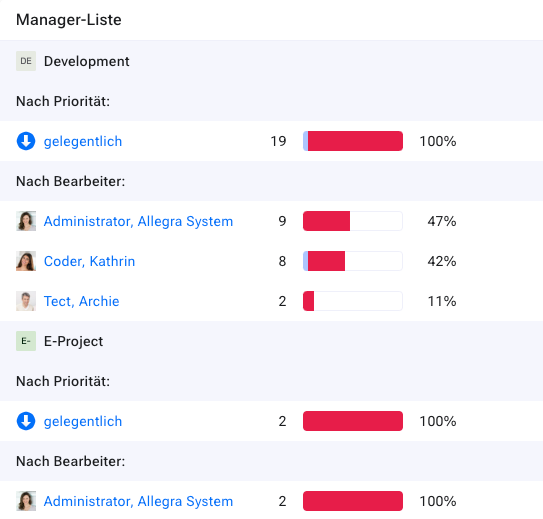
Overdue items are marked in red in the bar chart. You can click one of the category labels (a particular priority or a specific responsible) to obtain the list of items for that category.