
Assigning roles#
wsman sysman sysadmin
Before anyone can do anything in a workspace or project, you assign them at least one role there. Roles carry permissions — such as changing items or creating new ones.
You must be logged in as a system administrator or system manager, or at least hold workspace administrator permissions for the workspaces to which you want to assign users.
Note
Prefer to assign roles to user groups — not to individual people. All members of the group then receive the associated permissions, and the administrative effort drops.
Note
Alternatively, you assign roles in the user administration. There, for each person, you also see which roles they have in which workspaces (see Managing regular users).
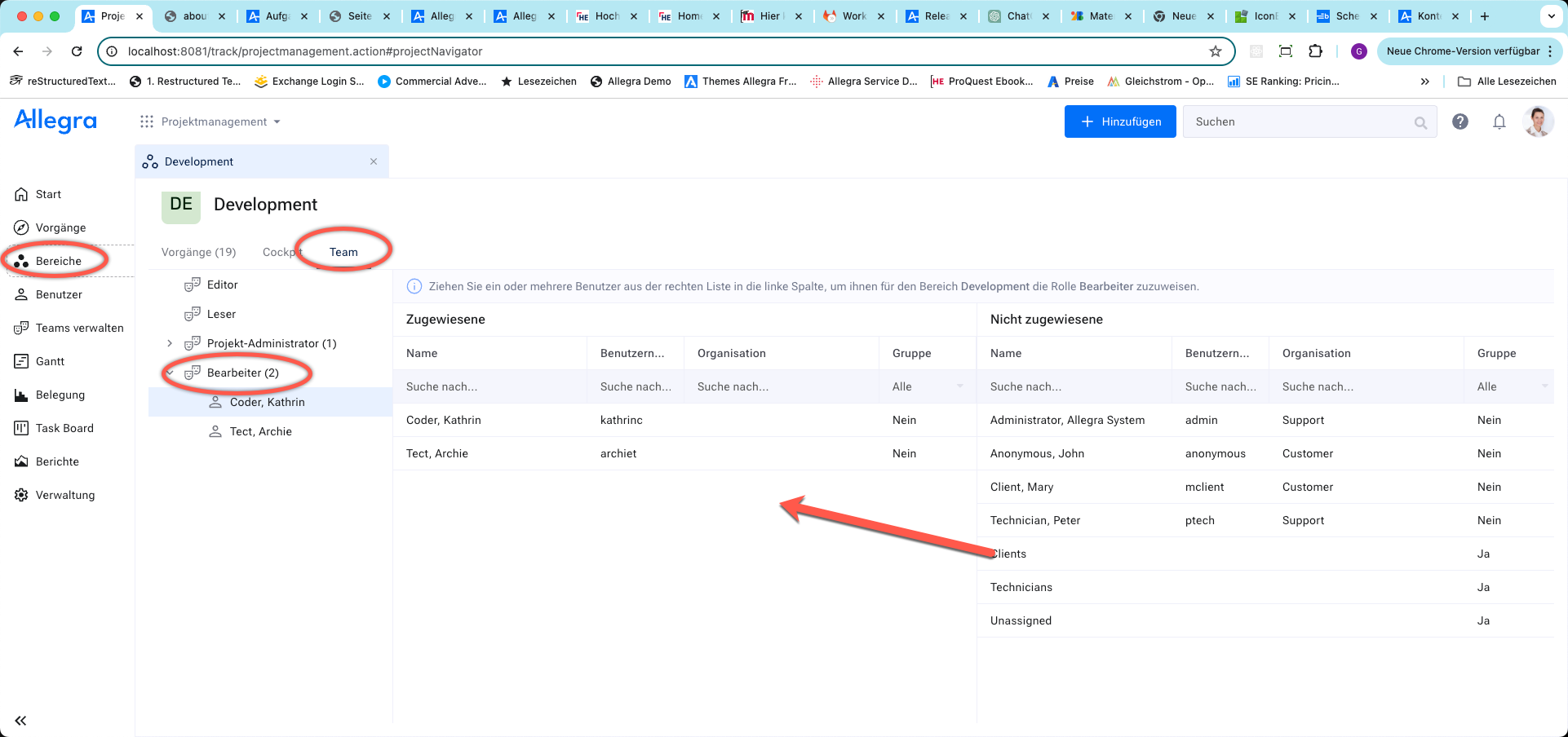
Go to
Itemsand open the context menu of the workspace whose team members you want to manage.Select a role in the first column. In the second column, you see the people and groups that have this role.
Drag people or groups from the right-hand
Unassignedcolumn into theAssignedcolumn. You can also select multiple entries at once.
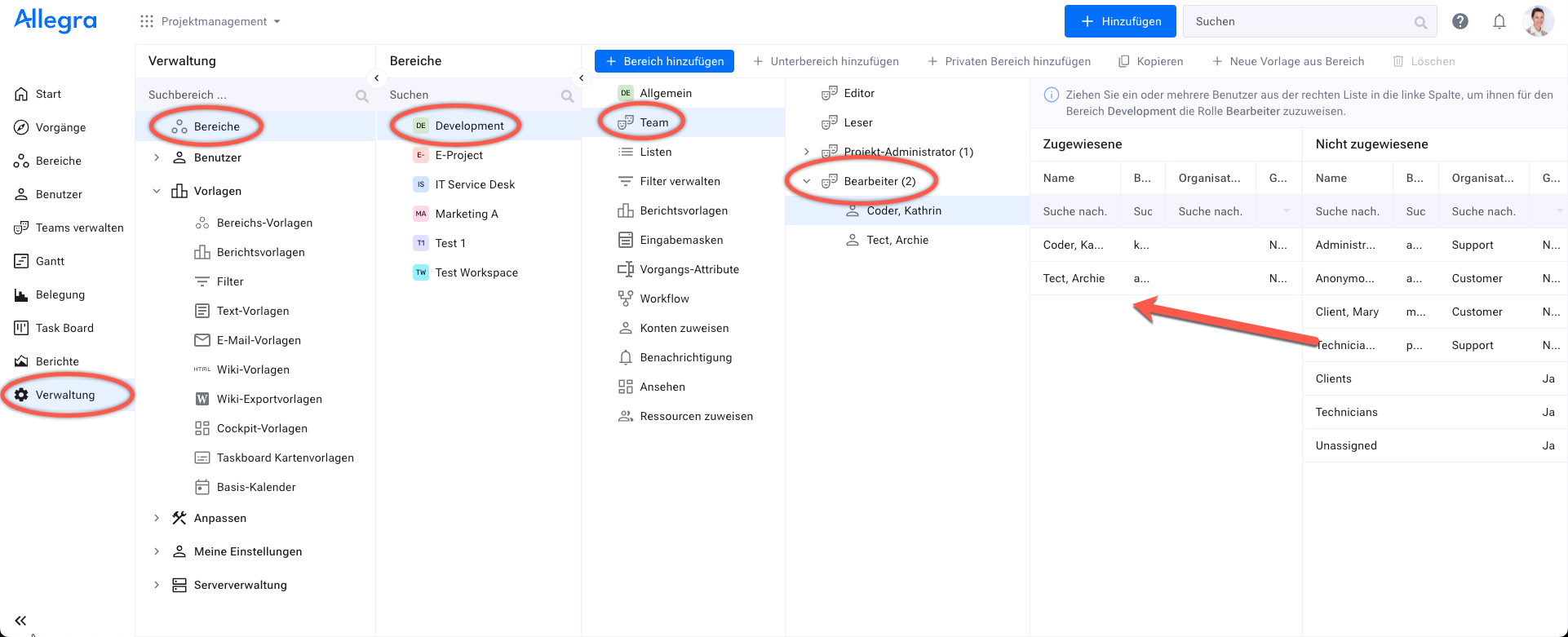
You have granted the selected users the permissions associated with the role — only then does the workspace become visible to them.