Two-dimensional project statistics#
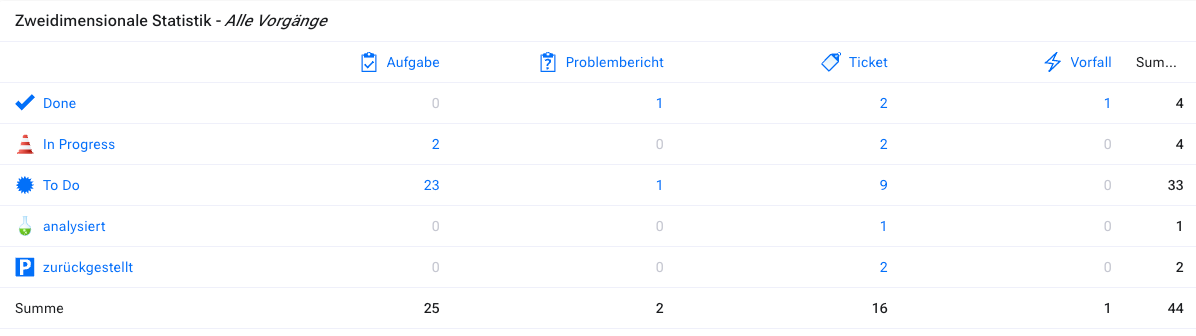
With this widget, you can create a matrix of item counts based on any two item attributes. For example, you can show which user has been assigned how many items as the responsible person and in which status. You can restrict the items to be considered with any predefined filter.
Configuration#
Before you can configure this widget, you must define a filter to specify the items to be considered for this statistic. Then you need to configure the widget. Follow the general procedure for configuring a widget described above to reach the configuration page for the two-dimensional project statistics.
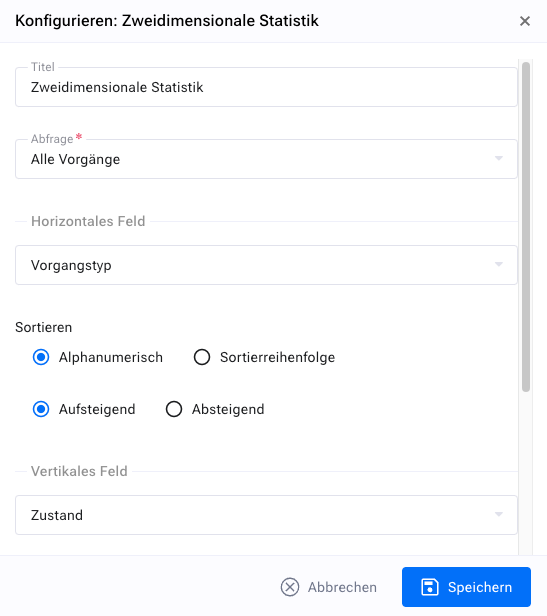
Select a filter that specifies the items to be considered for the statistic. Define the attributes used for the horizontal and vertical fields. If you have defined custom list fields in your system, these are also shown here. You can also set the sort order, either based on the texts or on the sort order defined for these attributes.
Display#
The following figure gives you an impression of how the widget appears in the cockpit.