
Webhooks#
sysman sysadmin
In response to an item change, Allegra can call the URL of another system and thereby trigger reactions there. You can specify the URL and a header parameter, for example to transport an authentication token.
Connecting webhooks#
Configuration#
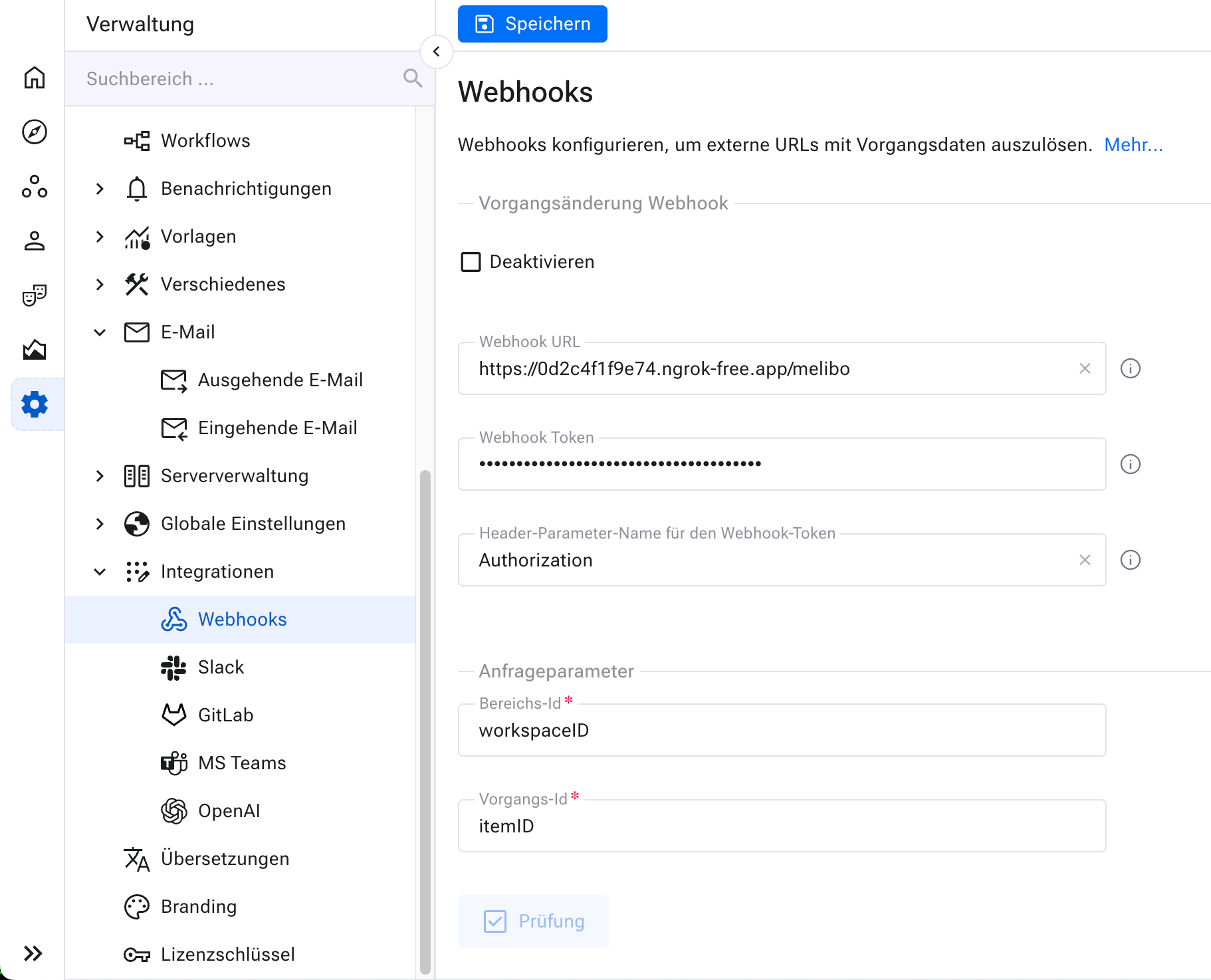
Go to Administration > Integrations > Webhooks.
URL: The webhook endpoint, e.g. https://allegrademo.org/rest/theHook.
Webhook token: A string that is included in the header of every call. The name of the parameter is defined in the following configuration field. This token is typically used for authentication with the called server.
Name of the webhook token header parameter: You can include a token with every request in a header parameter. This is mostly used for token-based authentication. The default name of the parameter is “Authorization”.
HTTP call method: GET or POST. With GET, the item number of the affected item is passed in the URL via the query parameter “itemID” and the workspace ID via the query parameter “workspaceID”. With a POST request, the parameters are placed in the JSON body.
Testing#
Click Check to verify that the webhook works.
Save the webhook once it works to your satisfaction.