
Assigning accounts#
wsman sysman sysadmin
You plan and monitor work and expenses through accounts that you assign to workspaces. Accounts let you distinguish between different kinds of work and material costs — such as development, administration or customer requests.
You must have enabled accounting in the workspace settings.
Go to
Administration>Manage Workspaces.Select a workspace.
In the second navigation area, click
Assign Accounts.
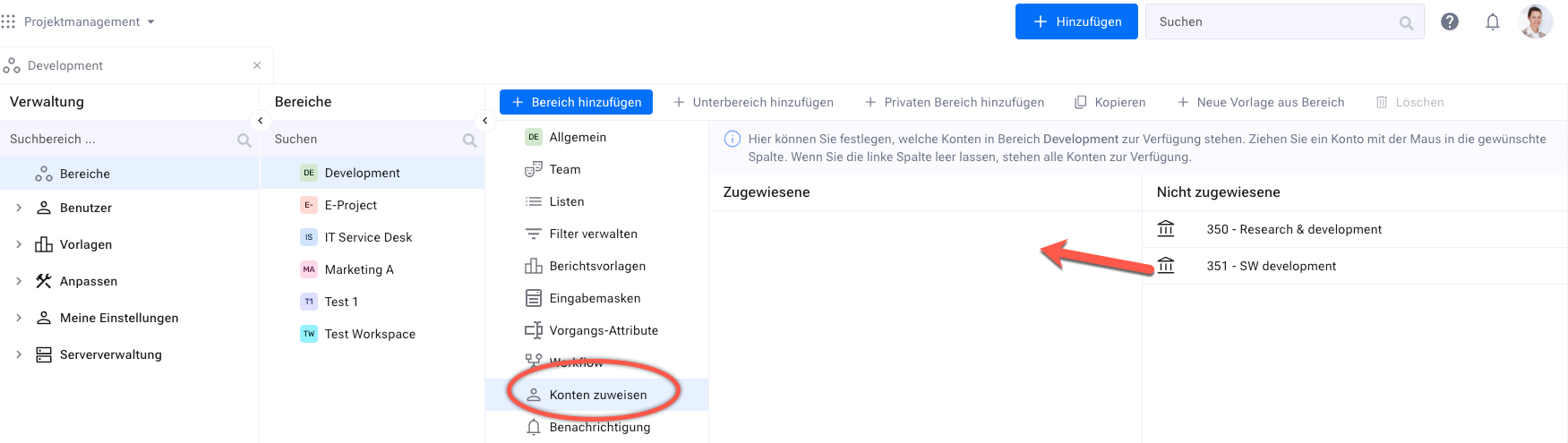
Drag accounts from the right-hand
Unassignedcolumn into theAssignedcolumn to make them available in this workspace. To remove an account, drag it back.
You can now enter budget and cost information for items in this workspace. If you deactivate an account or turn off accounting for a workspace, the existing information is retained in the background.