Server status#
sysman sysadmin
The server status page provides a range of system-specific information, such as the current memory usage, as well as the option to put the system into a maintenance state, so that no new users can sign in.
Go to Administration > Server administration > Server status.
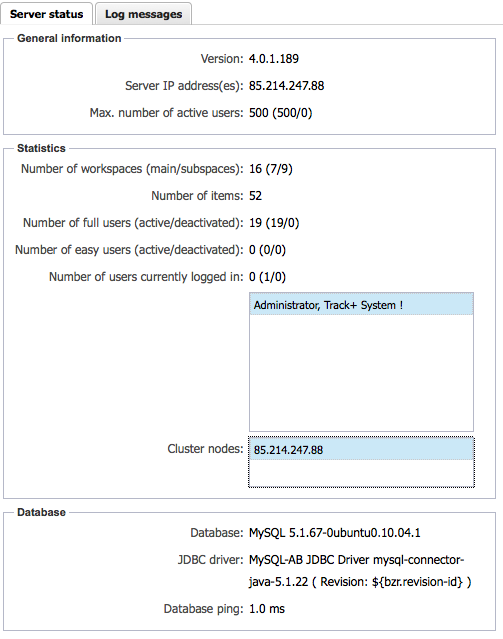
The upper left section of the status page shows the installed Allegra version, the IP numbers assigned to the server and license information.
Below that, you find a list of the users currently signed in and a list of nodes in the case of a cluster configuration.
At the bottom of the left part is information about the database in use and the network latency between the Allegra server and the database server.
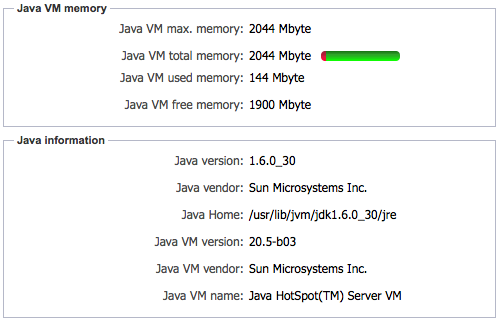
At the top right, you find information about the memory configuration and the memory usage of your Allegra installation, as well as the Java version used.
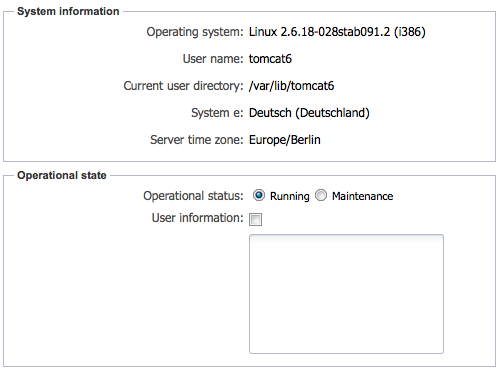
The lower right area lets you temporarily block access to the system, e.g. for maintenance purposes. Then only a system administrator can still sign in. Here you can also set a message for the users, which they can then see on the sign-in page.
The access block is removed automatically when the server is restarted.