Meetings#
Projects require meetings in which the project status is discussed and a list of action items is created. Allegra provides a dedicated item type called “Meeting”. The tile described here gives you a list of all your meetings and their associated action items.
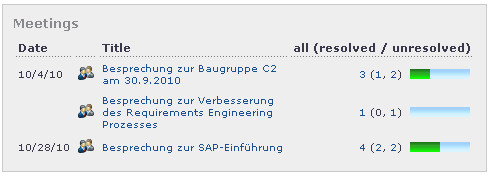
The “Meetings” tile requires no configuration. The panel looks as shown below. It has four columns:
The date column refers to the date of the meeting. This is the due date, or the start date if no due date is set.
The small group icon is an active link that opens the item overview showing this meeting and all associated action items.
The title is an active link that opens the detail view of this meeting directly.
The “Status summary” column gives you active links to all action items, all open action items and all closed action items. It also provides a simple graphical indication of the degree of completion for this meeting.