
Linking items#
You link items directly in the item overview.
In the item overview, select at least two items that you want to link to one another.
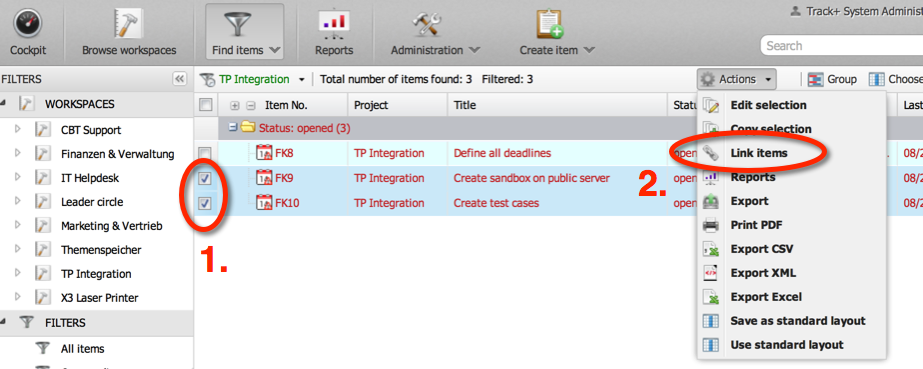
In the toolbar or the context menu, click
Link items. A form appears.Select the link type you want, add any required parameters and save.
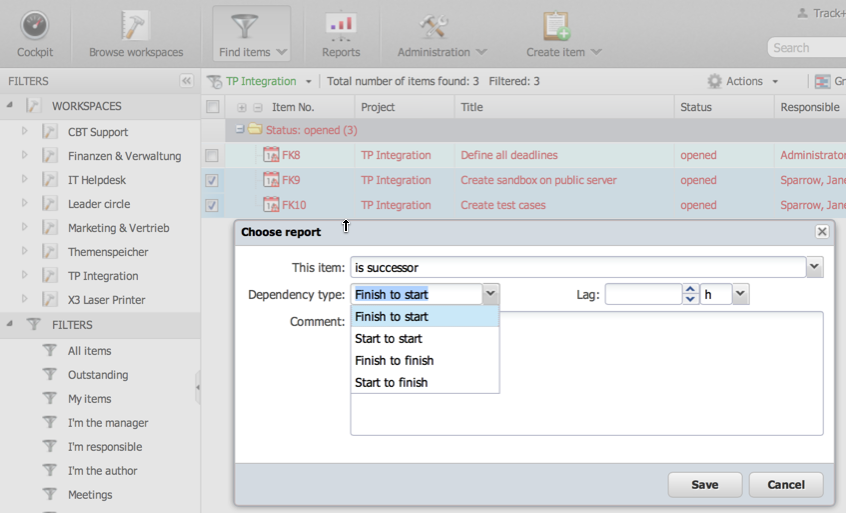
In our case, Allegra has linked the first selected item to the second. Had you selected more items, the second would have been linked to the third, and so on.