
Uploading a report template#
You can upload report templates from your local computer to the server.
You can upload your personal report templates to the server. Depending on your role in the system, you may only be able to upload report templates to your private template repository, to a project repository, or for system-wide use.
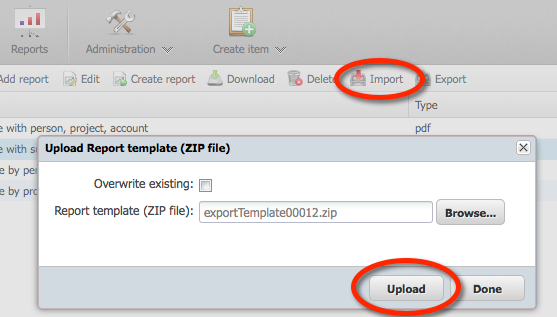
To upload a report template, click Upload report in the toolbar. In the window that opens, select the ZIP file containing the report template. If you have changed an existing template and want to replace it with your new version, select the Overwrite existing check box. Otherwise, a new template is created. Then click the Upload button.
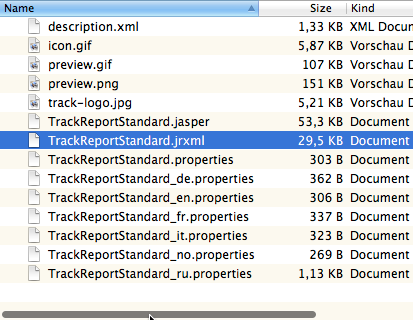
The ZIP file structure is flat. The JasperReports template file must be located at the top level of the ZIP file; there must be no folder. The same applies to the other files, in particular the description and properties files.