
Creating a workspace by copying#
wsman sysman sysadmin
You need at least one workspace with the appropriate permissions in order to manage items. You create a new workspace efficiently by copying an existing one.
For a top-level workspace you need administrator or system manager rights. For sub-workspaces, workspace administrator rights are sufficient.
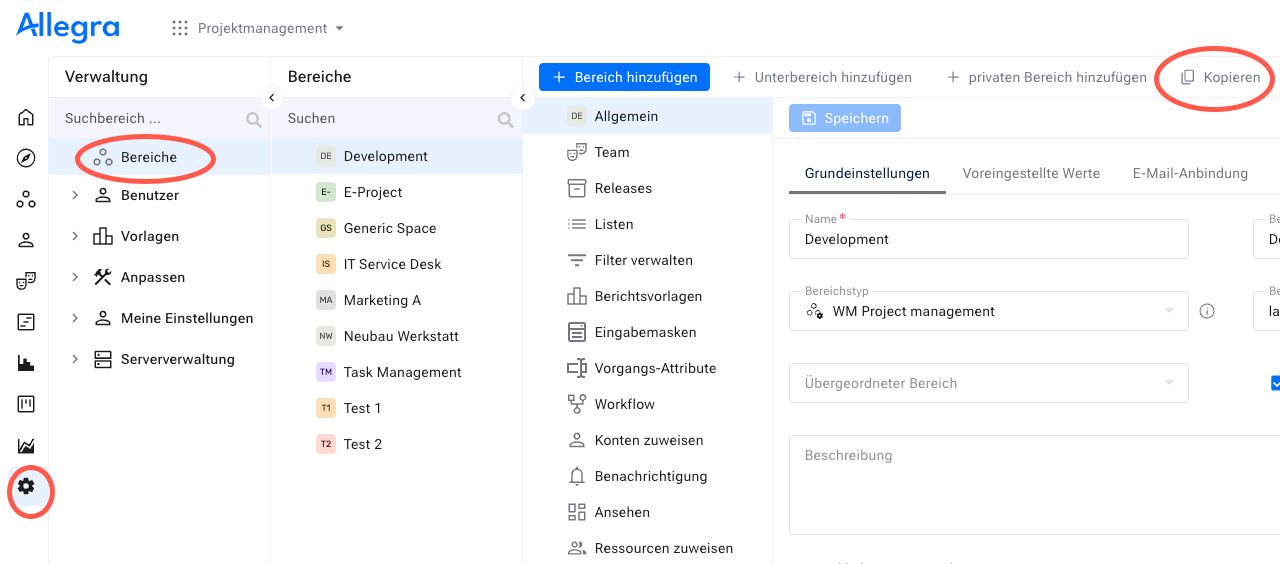
Go to
Administration>Workspaces.Select the workspace to copy in the tree.
Click
Copyin the toolbar.Assign a new name for the copied workspace.
Optionally select a parent workspace.
Decide whether open items are copied along — and whether Allegra automatically creates links between the original and the copy.
Decide whether attachments and links between items are copied along.
Decide whether role assignments and cockpit configurations are copied along.
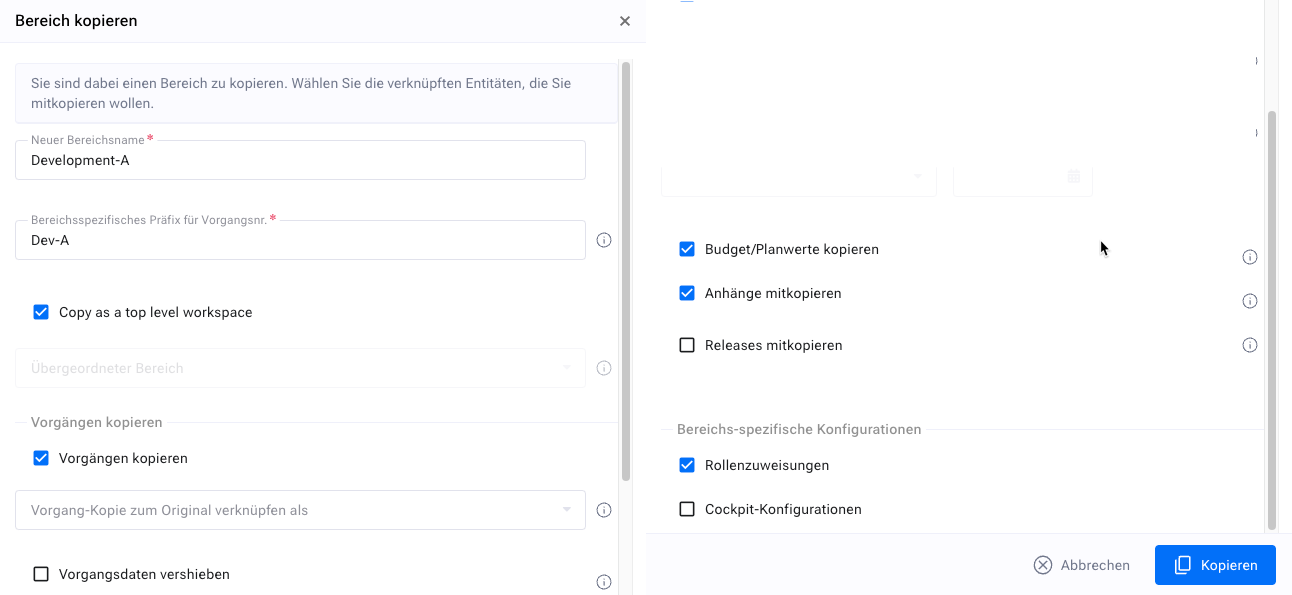
Click
Copy.
Your workspace is copied. Optionally, in the task management app you display the new items and adjust the start dates — for example through bulk editing with the “earliest date on” option. Allegra updates the end dates automatically.
The new workspace is based on the configuration of the original but is completely independent. You adapt it freely.