
Importing from Allegra installations#
You import data from another Allegra installation — for example, to merge two installations. This powerful operation can substantially alter the importing system and is therefore available only to system administrators.
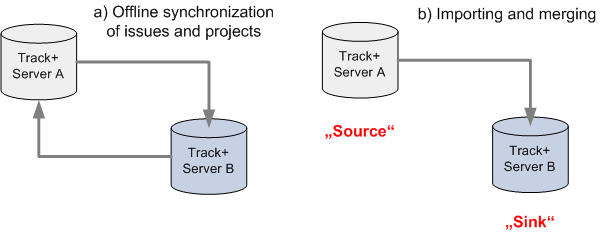
Allegra transfers items and all associated data from one instance to another. In the following, the originating instance is called the source system and the receiving one the target system.
To import data from another instance, log in with system administrator rights.
Attention
The import injects users, workspaces, and configurations into the target system. The users are deactivated afterwards.
Note in addition:
Allegra does not import forms or form assignments. As a result, individual fields that were visible in the source system may be missing in the target system.
Allegra reconciles all objects from the source system with its own to avoid duplicates. Allegra identifies users by the combination of login and email. It reconciles most other objects by their UUID. It reconciles list entries by their labels. Allegra reconciles items not by item numbers but by UUIDs.
The import first reads in all item numbers. Allegra imports embedded links (e.g. in the description text) as well as other links unchanged — referenced items outside the data set, however, remain unlinked.
If you create a custom text field
OldTrackIDin the target system, Allegra stores the old item numbers from the source system there. In addition, Allegra writes a file toALLEGRA_HOMEcontaining a mapping of the old to the new item numbers.If the data set contains workspaces that are missing in the target system, Allegra creates them anew. In doing so, Allegra also adds roles from the source system that are missing in the target system. Users receive the same roles in the new projects as in the source system.
For existing projects, Allegra adds neither role assignments nor roles.
Allegra adds new users in a deactivated state.
The import only adds data — it deletes nothing. Attachments deleted in the source system since the last synchronization are therefore retained in the target system.
To import data from another instance, drag the source ZIP file into the right-hand pane of the item browser.
Allegra imports the data and merges it with the existing data.